iPhone kullanıcılarının çoğu şu aramayı yapıyor: daha uzun akıllı saat pil ömrü En yüksek sayıyı hedeflemiyorlar. Bildirimleri, sağlık verilerini, aramaları veya egzersiz sırasında kullanılan özellikleri kaybetmeden şarj kesintilerinin daha az olmasını istiyorlar.
Seçim süreci dört kritere dayanır: ilgili pil modu, gerekli çalışma süresi, iPhone'un tam işlevleri ve kabul edilebilir ödünler. Aşağıdaki ürün çalışma süreleri üretici tarafından verilen değerlerdir, bağımsız test sonuçları değildir.
Önemli Noktalar
| Endişeniz | Kullanılacak kanıtlar | Karar kuralı |
|---|---|---|
| Günlük şarj | Yoğun kullanım çalışma zamanı | Şarjlar arasındaki en uzun normal sürenizle karşılaştırın. |
| Gece boyu takip | Gündüz kalan pil ömrü artı şarj süresi | Gece boyunca kesintisiz kullanım için yeterli gücü koruyun. |
| Uzun antrenmanlar | Kesintisiz GPS saatleri | Bu karşılaştırmada günlük kullanım günlerini dikkate almayın. |
| Sürekli açık ekran | AOD çalışma zamanı | Tipik kullanım rakamını uygulamayın. |
| iPhone uyumluluğu | iOS'ta belgelenmiş işlemler | Alma, yanıtlama, arama, senkronizasyon, ödeme ve navigasyon işlemlerini ayrı ayrı doğrulayın. |
| Özellik ödünleşmeleri | Olmazsa olmaz fonksiyonlar | Günlük gereksinimini karşılamayan tüm saatleri çıkarın. |
Bu emir, uzun bekleme süresi iddiasının zayıf egzersiz dayanıklılığını veya sınırlı iPhone kullanımını gizlemesini önler.

Gerçek Dünya Kullanımında Uzun Pil Ömrü Ne Anlama Gelir?
Tek bir saat, birden fazla geçerli pil numarası taşıyabilir:
- Tipik kullanım Üreticinin standart test rutinini açıklamaktadır.
- Yoğun kullanım Daha fazla uyarı, ekran süresi, arama, senkronizasyon ve izleme özelliği ekler.
- AOD kullanımı Ekranın bir bölümünün gün boyunca aktif kalmasını sağlar.
- Sürekli GPS Saatler içinde kesintisiz dış mekan takibini ölçer.
- Yanında olmak Minimum düzeyde etkileşim sağlar ve günlük kullanım kararlarına çok az değer katar.
Gerçek dünya ile ilgili olması, doğru rakamı ayarlarınızla eşleştirmekten gelir. 15 günlük tipik bir değerlendirme, GPS verisi karşılaştırmaya dahil edilene kadar altı saatlik bir yürüyüş hakkında hiçbir işe yarar bilgi vermez.
Akıllı saatinizin pil ömrü için ne kadar süreye ihtiyacınız var?
Tek bir hesaplama kullanın:
Şarj edilmeden geçen en uzun süre + yüksek güç tüketimi gerektiren aktivite + yedek güç = gerekli çalışma süresi
Gündüz kullanımı ve uyku takibi için saatin tüm geceyi kapsayacak kadar akşam şarjı olması gerekir. Dört günlük bir gezi, ekstra navigasyon ve aramalar kullanım süresini azalttığı için, dört günden fazla yoğun kullanım süresi gerektirir. Altı saatlik bir yürüyüş için en az altı GPS saati ve gecikmeler için de pay ayırmak gerekir.
Bu rezerv, pilin ne kadar azalacağının kesin bir tahmini değildir. Saatin normalden daha yoğun kullanımdan ve kademeli kapasite düşüşünden korunmasını sağlar. Yeni iken bu gereksinimi ancak karşılayabilen bir saatte, bu iki durum için de fazla yer yoktur.
Akıllı saat iPhone'unuzla tam uyumlu çalışacak mı?
Uyumluluğu beş ayrı seviye olarak ele alın:
- Bağlantı: Saat, Bluetooth ve eşlik eden bir uygulama aracılığıyla eşleştirilir.
- Resepsiyon: Mesajlar, uygulama uyarıları ve gelen aramalar bileğe ulaşır.
- Etkileşim: Yanıtlar, arama kontrolleri, müzik kontrolleri ve sesli komutlar iOS'ta çalışır.
- Veri entegrasyonu: Gerekli sağlık ve egzersiz ölçümleri Apple Health veya başka bir servisle senkronize edilir.
- Bağımsız kullanım: Ödeme işlemleri, uygulamalar, kayıtlı müzik, haritalar veya hücresel işlevler telefondan uzakta çalışır.
Eşleştirme yalnızca ilk seviyeyi kanıtlar. "Bildirimler destekleniyor" ifadesi yanıtları doğrulamazken, "dahili GPS" ifadesi çevrimdışı haritaları doğrulamaz. Üç vazgeçilmez eylem belirleyin ve her biri için açık belge talep edin.
Hangi özellikler en çok pil tüketir?
- KÜRESEL KONUMLAMA SİSTEMİ: Tüm faaliyet boyunca ölçülen sürekli bir yük.
- Sürekli açık ekran: Gün boyu aktif kalan daha küçük bir yük.
- Aramalar ve kaydedilmiş müzikler: Radyoların, ses donanımlarının ve işlemcilerin yoğun kullanımı.
- Sürekli sağlık takibi: Arka planda tekrarlanan sensör aktivitesi.
- Bildirimler: Senkronizasyon, titreşim ve ekran uyandırmaları yoluyla biriken kısa olaylar.
Asıl sorunu çözen işlevleri koruyun. Parlaklık, düşük değerli uyarılar ve kullanılmayan alanların izlenmesi, uyku veya egzersiz takibine kıyasla bellek tüketimini azaltmak için daha mantıklı alanlardır.
Daha uzun pil ömrü için nelerden vazgeçersiniz?
Önce dayanıklılık: Çok günlük kullanım, uyku takibi, seyahat, uzun süreli aktiviteler ve daha az şarj seansı.
Entegrasyon öncelikli: Bilekten yanıt alma, ödeme işlemleri, hücresel erişim, daha fazla uygulama ve daha kapsamlı iPhone kontrolü.
Boyut ve konfor da karar verme sürecinde rol oynar. Daha büyük bataryalar genellikle daha ağır kasalar anlamına gelirken, daha parlak ekranlar şarj döngüsünü kısaltır. Belirleyici soru "Hangi taraf daha fazla özellik sunuyor?" değil, "Hangi eksik özellik günlük hayatta sorun yaratıyor?" olmalıdır.
iPhone için Uzun Pil Ömrüne Sahip Akıllı Saatleri Nasıl Karşılaştırabilirsiniz?
Öncelikle paylaşılan iPhone sınırlamasıyla başlayalım. KOSPET
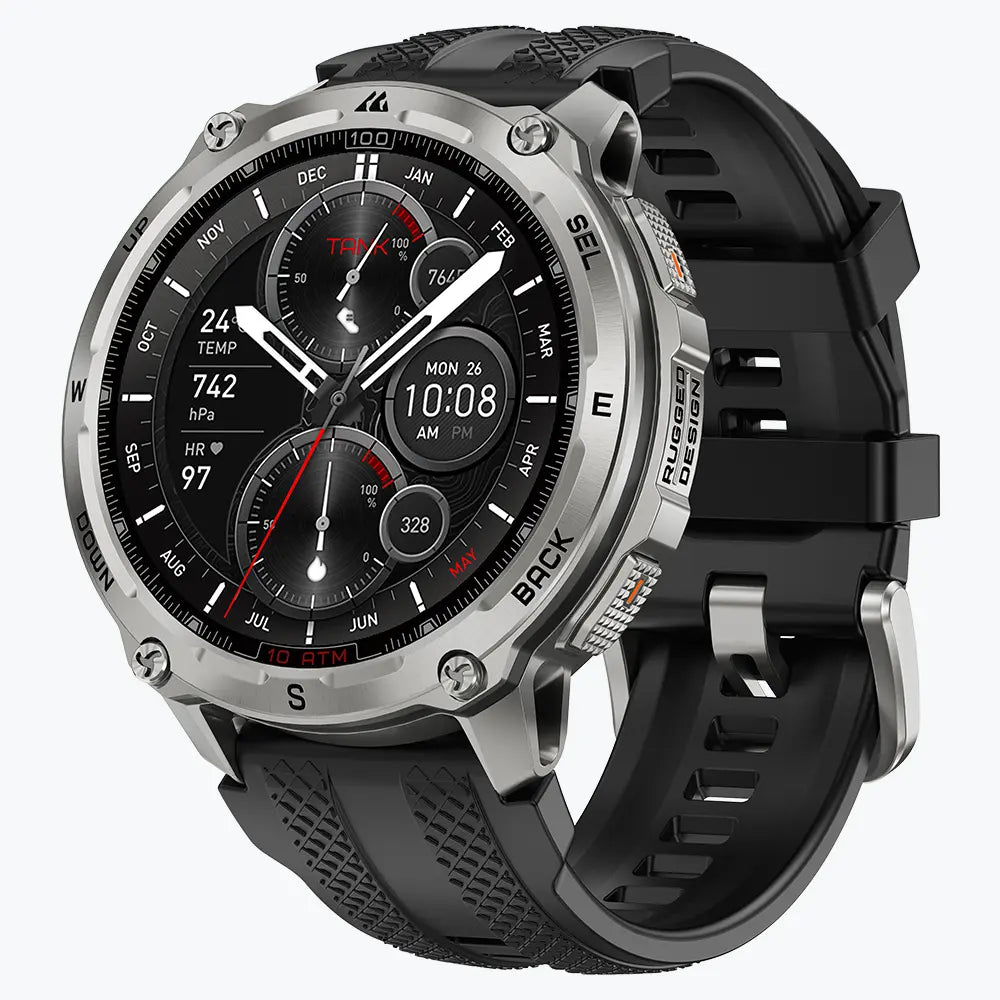
KOSPET TANK T4 Akıllı Saat
$209.99 USD
| Model | Günlük Kullanım Pili | Sürekli GPS | iPhone Desteği | Karar Noktası |
|---|---|---|---|---|
| KOSPET |
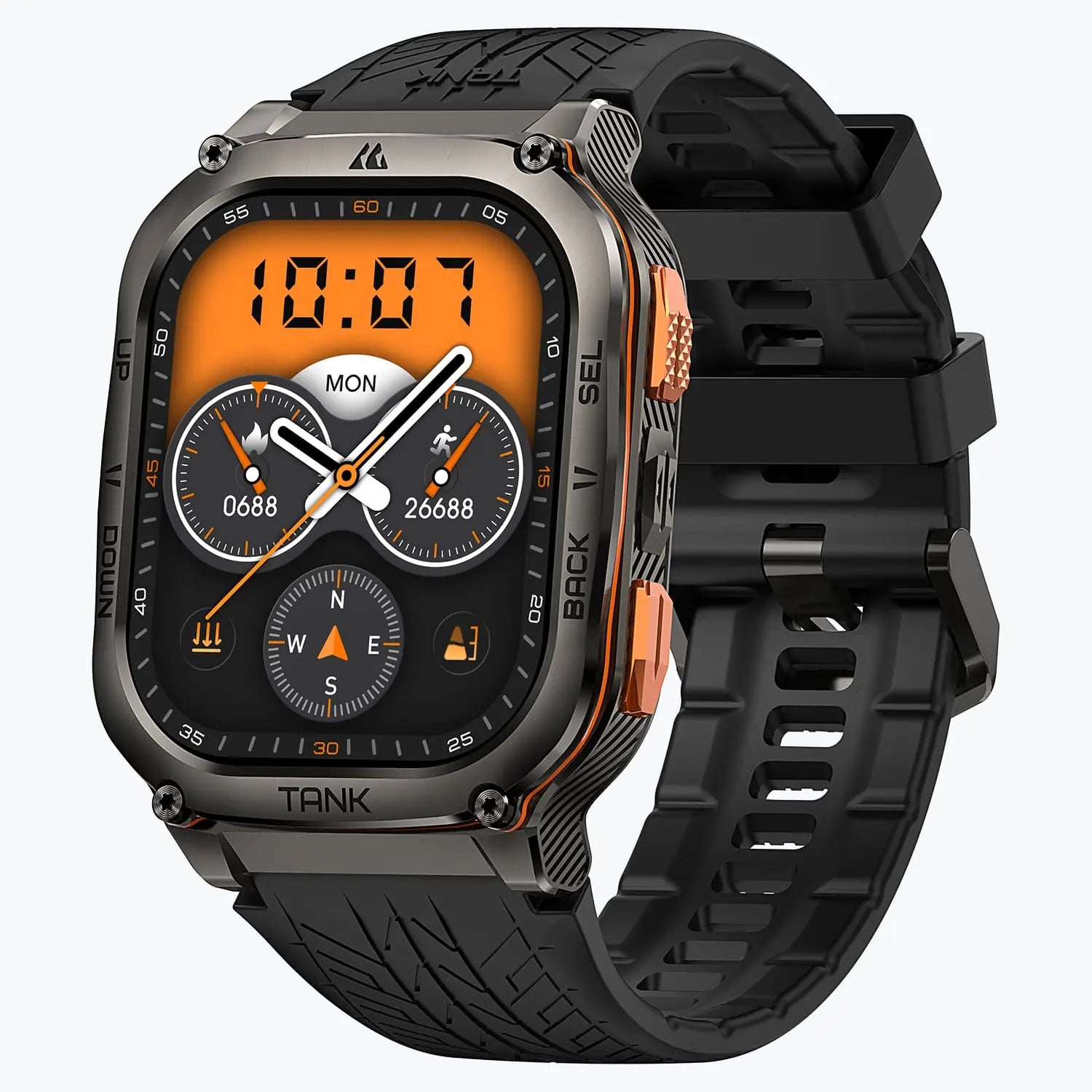
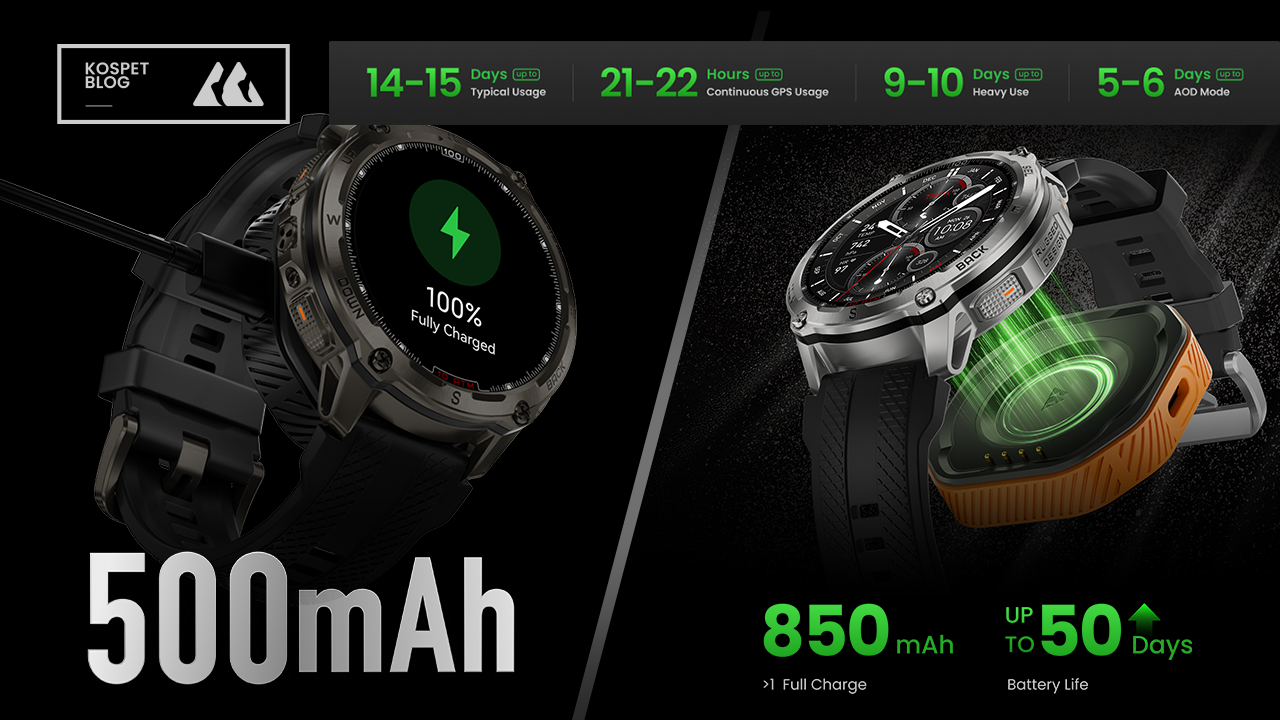
Yoğun kullanımda 9-10 gün; AOD ile 5-6 gün. | 21-22 saat | Bildirimler ve Apple Sağlık; iOS hızlı yanıt özelliği yok. | Çevrimdışı haritalar ve kayıtlı müzik ile dengeli günlük ve GPS dayanıklılık testi. |
| KOSPET |
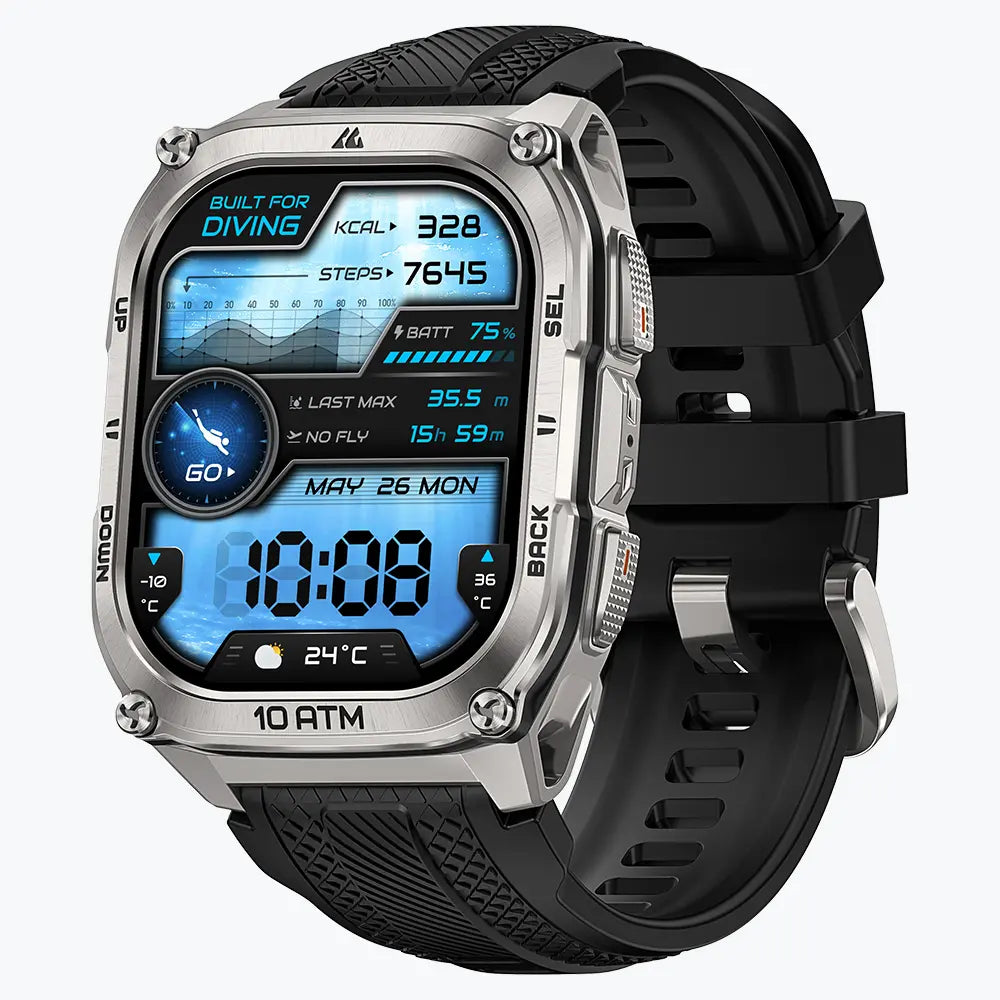
Yoğun kullanımda 9-10 gün; AOD ile 5-6 gün. | 21-22 saat | Bildirimler ve Apple Sağlık; iOS hızlı yanıt özelliği yok. | T4 ile aynı dayanıklılığa sahip; daha büyük ekranı ve dalış fonksiyonları onları birbirinden ayırıyor. |
| KOSPET |
Yoğun kullanımda 8-10 güne kadar; AOD ile 3-5 güne kadar. | 18-21 saate kadar | Bildirimler ve Apple Sağlık; iOS hızlı yanıt özelliği yok. | Çalışma araçları, maksimum AOD ve GPS çalışma süresine göre önceliklidir. |
| KOSPET |
Yoğun kullanımda 5-8 gün; AOD ile 3-5 gün | 30-35 saat | Bildirimler ve Apple Sağlık; hızlı yanıt yok | Daha kısa günlük şarj aralığıyla daha uzun GPS kaydı |
| Apple Watch | Ultra 3: 42 saate kadar; Seri 11: 24 saate kadar | Ultra 3: Tam GPS ile 14 saate kadar kullanım süresi | Yerel mesajlaşma, ödemeler, watchOS uygulamaları ve hücresel seçenekler | Daha sık şarj ederek iPhone ile daha derin entegrasyon |
Pil Ömrünü Zaman İçinde Nasıl Korursunuz?
- Saatin yeni olduğu dönemde normal bir gün, GPS aktivitesi ve gece uyku takibi sırasında pil tüketimini kaydedin.
- Sıcak arabalar, saunalar ve sıcak sudan kaynaklanan uzun süreli ısıya maruz kalmayı azaltın.
- Şarj temas noktalarını temiz tutun ve uyumlu şarj donanımı kullanın.
- Senkronizasyon veya arka plan kaynak tüketimi sorunlarını gideren aygıt yazılımı ve yardımcı uygulama güncellemelerini yükleyin.
- Pil garantisi koşullarını, genel cihaz kapsamından ayrı olarak inceleyin.
Şarj edilebilir piller kimyasal yaşlanma nedeniyle kapasitelerini kaybeder, bu nedenle başlangıçtaki çalışma süresi payı, işlevsel bir şarj rutininin korunmasına yardımcı olur.
Sıkça Sorulan Sorular
Apple olmayan bir akıllı saat, iPhone mesajlarını alıp yanıtlayabilir mi?
Birçok üçüncü parti akıllı saat, iPhone bildirimlerini, SMS uyarılarını ve gelen aramaları görüntüleyebilir. Yanıt desteği ayrı bir işlevdir ve genellikle iOS'ta sınırlı kalır. Genel bir "iPhone uyumlu" etiketine güvenmek yerine, yanıtlar için modelin tam özelliklerini kontrol edin.
Bir iPhone kullanıcısının akıllı saat pilinin kaç gün dayanması gerekir?
Cevap, şarj rutinine bağlıdır. Gündüz ve gece takibi, tam bir gündüz döngüsü ve gece kullanımı için yeterli güce ihtiyaç duyar. Çok günlük seyahatler, seyahat süresinin ötesinde yoğun kullanım süresi gerektirirken, uzun açık hava etkinlikleri günlük kullanım günlerinden ziyade sürekli GPS saatlerine bağlıdır.
GPS ve sürekli açık ekran, akıllı saatlerin pil ömrünü azaltır mı?
Evet. GPS, bir aktivite sırasında sürekli konumlandırma yükü oluştururken, sürekli açık ekran gün boyunca güç tüketir. Açık hava kullanımı için GPS kullanım saatlerini ve sürekli görünür saat kadranı için AOD kullanım günlerini karşılaştırın.
Üçüncü parti bir akıllı saat, sağlık verilerini Apple Health ile senkronize edebilir mi?
Bazı yardımcı uygulamalar Apple Health senkronizasyonunu destekliyor, ancak kullanılabilir veri türleri modele ve uygulamaya göre değişiklik gösteriyor.Satın almadan önce adım sayısı, kalp atış hızı, uyku ve egzersizler gibi gerekli ölçümleri doğrulayın. Genel Apple Health desteği her ölçümü garanti etmez.