A KOSPET akıllı saat Kalp atış hızını, deri altındaki kan akışındaki değişiklikleri tespit etmek için ışık kullanarak ölçer. Güvenilir okumalar yalnızca sensörün kendisine bağlı değildir: saat bilekle temas halinde kalmalı, dolaşım yeterince güçlü olmalı ve yazılım nabzınızı hareketten ayırmalıdır.
Farklı hata kalıpları genellikle farklı nedenlere işaret eder. Ayarlamalar yapmadan önce sorunu belirlemek için aşağıdaki tabloyu kullanın.
Hızlı Teşhis: Okuma Sonuçları Ne Anlama Geliyor?
| Neyi fark ediyorsunuz? | En Muhtemel Sebep | İlk Eylem |
|---|---|---|
| Egzersiz sırasında kalp atış hızı kayboluyor. | Zayıf veya değişen cilt teması | Saatin konumunu ve kayışını kontrol edin. |
| Kolay bir koşu sırasında aniden yükselen bir kan basıncı değeri. | Cadence kilidi | Kalp atış hızını koşu temposuyla karşılaştırın. |
| Antrenmanın başlangıcında düşük bir değer. | Soğuk cilt veya zayıf başlangıç kan akışı | Yavaş yavaş ısının |
| Düzenli egzersiz sırasında sayılar artar. | Ter, kalıntı veya kararsız temas | Saati ve bileği temizleyip kurulayın. |
| Veriler, kaldırma işlemleri sırasında veya aralıklar esnasında yavaş tepki veriyor. | Bilek hareketi veya sensör gecikmesi | Genel egzersiz trendini gözden geçirin. |
| Dinlenme halindeyken bile okuma hala yanlış. | Uyumluluk, ayarlar, yazılım veya donanım | Kontrollü bir dinlenme testi gerçekleştirin. |
Saat sürekli kalp atış hızınızı kaybettiğinde
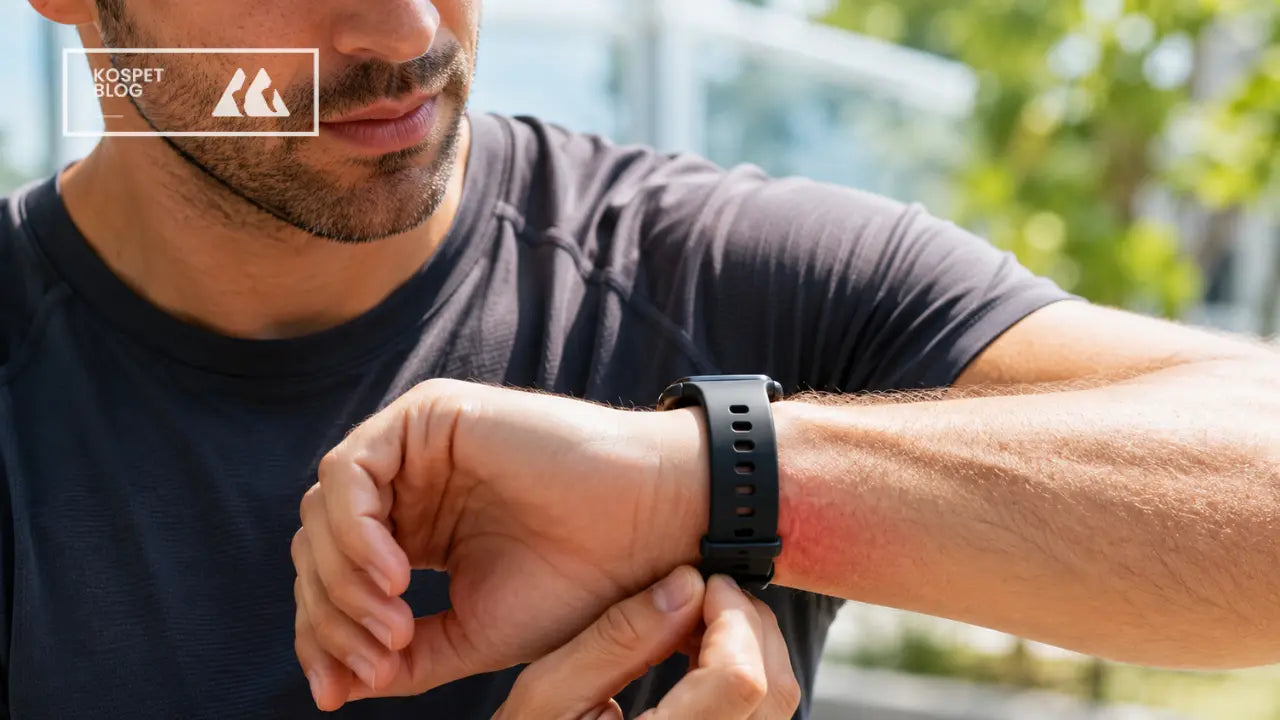
Bireysel egzersiz sorunlarını gidermeden önce temel bir uyum kontrolü yapın. Yanlış konumlandırma, bilek büküldüğünde sensörün ciltten kalkmasına neden olabilir.
Saati takın:
- Bileğin üst kısmında
- bilek kemiğinin bir veya iki parmak genişliğinde yukarısı
- Arka sensör cilde tamamen yapışık şekilde duruyor.
Kayış, kan dolaşımını kısıtlamadan kılıfın kaymasını önlemelidir.
| Uygunluk Testi | Ne Olmalı? |
|---|---|
| Kolunuzu hafifçe sallayın. | Saat, ayrı olarak kaymak yerine, ciltle birlikte hareket eder. |
| Bileğinizi döndürün | Arka sensör düz kalıyor. |
| Birkaç dakika sonra cildi kontrol edin. | Ağrı, karıncalanma, uyuşma veya derin izler yok. |
Antrenmandan önce arka sensörü silin ve temas alanını kurulayın. Ter, güneş kremi, losyon ve kir, saatin optik sinyalinin kaymasına veya zayıflamasına neden olabilir.
Egzersiz sırasında kayışı hafifçe sıkın, sonrasında ise rahatlık için gevşetin.
Kolay bir koşu sırasında kalp atış hızınız aniden yükseldiğinde
Rahat bir koşu sırasında kalp atış hızının aniden dakikada 170 veya 180'e çıkması, aşağıdakilerden kaynaklanabilir: ritim kilidi.
Kadans kilitlemesi, sensörün nabız yerine koşu hareketinin tekrarlayan ritmini takip etmesi durumunda meydana gelir. Kalp atış hızı ile adım kadansı arasındaki yakın eşleşme en net ipucudur. Örneğin, dakikada 170 kalp atışına yakın bir kalp atış hızı ve dakikada 170 adıma yakın bir kadans, hareket müdahalesine işaret edebilir.
Saatin doğru şekilde oturduğunu doğruladıktan sonra:
- Kısa bir süreliğine yavaşlayın.
- Ellerinizi ve ön kollarınızı gevşetin.
- Değer sabitlenene kadar bileğinizi sabit tutun.
- Değer gerçekçi hale geldikten sonra normal temponuza geri dönün.
Antrenman takibini tam tempoya ulaştıktan sonra değil, ısınma sırasında başlatın. Bu, kol hareketleri daha güçlü hale gelmeden önce saatin nabız sinyalini algılamasına zaman tanır.
Benzer koşular sırasında tekrarlanan ani yükselişler, manuel nabız sayımı veya harici kalp atış hızı sensörü ile karşılaştırılmalıdır.
Egzersizin Başlangıcında Kan Şekeri Değeri Düşük Kaldığında
Cilt yakınındaki kan akışı azaldığında optik izleme zorlaşır. Bu durum genellikle soğuk havalarda açık havada yapılan egzersizin ilk dakikalarında ortaya çıkar.
Birkaç dakika boyunca hafif hareketlerle başlayın:
- Önce yürüyün, sonra koşmaya başlayın.
- Daha zorlu egzersizlerden önce yavaşça pedal çevirin.
- Isınma sırasında egzersiz modunu başlatın.
- Soğuk havalarda bileğinizi örtülü tutun.
Kol, ısıyı korumaya yardımcı olabilir, ancak kumaş asla sensör ile cilt arasında kalmamalıdır.
Kan dolaşımı arttıkça okuma daha hassas hale gelmelidir. Isındıktan sonra düşük değerlerin devam etmesi genellikle saatin döndüğünü, bilek eklemine doğru hareket ettiğini veya ciltle tam temasını kaybettiğini gösterir.
Düzenli Egzersiz Sırasında Sayılar Ani Yükseliş Gösterdiğinde
Çabalarınızla uyuşmayan hızlı değişiklikler genellikle geçici sinyal kaybına işaret eder.
Düzenli bir yürüyüş veya koşu sırasında dakikada 95, 148, 110 ve 160 kalp atışı gibi bir dizi kalp atışının, bu kadar kısa bir süre içinde normal fizyolojik değişiklikleri temsil etmesi olası değildir.
İşlemi duraklatın ve olası parazitleri kontrol edin:
| Olası Sebep | Ayarlama |
|---|---|
| Saatin altında ter. | Sensörü ve bileği kurulayın. |
| Losyon veya güneş kremi | Temas alanını temizleyin. |
| Giysiler kılıfa değiyor. | Kumaşı kenara çekin |
| Arka sensörde kir var. | Yumuşak bir bezle silin. |
| Yeni bir saatin üzerindeki koruyucu film | Filmi çıkarın |
| Düzensiz cilt teması | Biraz farklı bir pozisyonu deneyin. |
Dövme, yara izi, yoğun kıllar ve bilek şekli, ışığın cilde ulaşma ve geri dönme şeklini etkileyebilir. Küçük bir pozisyon değişikliği veya karşı bilek daha net bir sinyal sağlayabilir.
Kuvvet antrenmanı veya HIIT sırasında ölçümlerde gecikme yaşandığında
Bileğe takılan sensörler, kuvvet antrenmanı ve interval antrenmanı sırasında farklı zorluklarla karşı karşıya kalmaktadır.
Kuvvet antrenmanı sırasında
Bar veya dambıl tutmak önkol kaslarını sıkılaştırır. Bileğin bükülmesi saatin açısını değiştirirken, ekipmandan gelen basınç ciltle teması bozabilir.
Görüntülenen kalp atış hızı şu anlama gelebilir:
- Bir set sırasında yavaşça tepki verin.
- Kısa zirveleri özledim
- Beklenenden daha düşük görünüyor
- Set bittikten sonra güncelleyin
Saati ön kolun daha yukarısına takmak, bilek eklemi çevresindeki hareketi azaltabilir. Antrenman seansına en uygun modu seçin ve tek bir kısa zirve yerine, birkaç set boyunca genel yükseliş ve toparlanmaya odaklanın.
HIIT veya sprint sırasında
Kollar ve vücut agresif bir şekilde hareket ederken kalp atış hızı hızla değişebilir. Saat, sonucu göstermeden önce hareket gürültüsünü filtrelemek zorundadır, bu da gecikmeye neden olabilir.
Grafik şunları gösterebilir:
- Aradan sonra ortaya çıkan bir yükseliş başlar.
- Beklenenden daha geç gerçekleşen bir zirve
- Yüksek değer, toparlanma sürecinde de devam eder.
Antrenman sonrasında kalp atış hızı grafiğinin tamamını inceleyin. Bir aralık sırasında gösterilen tek bir sayı, çalışma ve dinlenme dönemlerindeki genel kalıba göre daha az bilgi sağlar.
Saniye saniye tepki süresi veya hassas bölge kontrolü önemli olduğunda harici bir sensör daha uygun olabilir.
Seçilen Egzersiz Modu Aktiviteyle Eşleşmediğinde
Antrenman modları, kaydedilen harekete bağlam sağlar. Koşu, bisiklet, kuvvet antrenmanı ve aralıklı antrenmanlar bilekte farklı hareket kalıpları oluşturur.
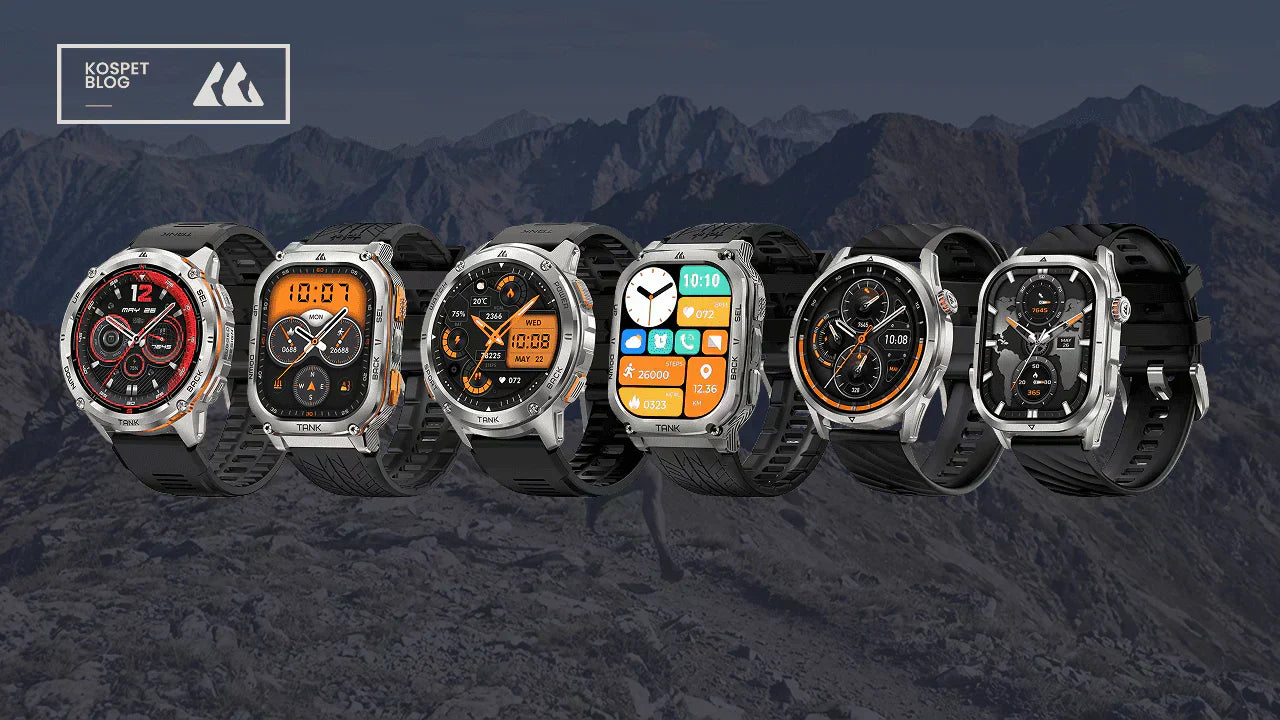
Antrenman seansınıza en uygun KOSPET akıllı saatini seçin ve ısınma sırasında kayda başlayın.
| Aktivite | Tipik Ölçüm Zorluğu |
|---|---|
| Koşma | Tekrarlayan kol hareketleri ve ritim kilidi |
| Bisikletçilik | Gidon basıncı ve bilek hareketinin kısıtlılığı |
| Kuvvet antrenmanı | Kavrama ve bilek bükülmesi |
| HIIT | Hızlı hareket ve hızlı kalp atışı değişiklikleri |
| Yürüme | Genellikle daha istikrarlı, sürekli hareket |
Uygun modu seçmek, optik algılamanın tüm sınırlamalarını ortadan kaldırmaz, ancak daha alakalı bir egzersiz kaydı oluşturur ve saate aktiviteyi işlemek için daha iyi bir bağlam sağlar.
Okuma işlemi hala yanlış görünüyorsa
Kontrollü bir dinlenme testi, hareket kaynaklı müdahalelerin çoğunu ortadan kaldırır. Sorunun antrenman koşullarından mı kaynaklandığını yoksa daha kolay bir ölçüm sırasında mı devam ettiğini belirlemeye yardımcı olur.
Dinlenme Testi Gerçekleştirin
- Beş dakika boyunca sessizce oturun.
- Kolunuzu bir masaya yaslayarak destekleyin.
- Saatin ve saatin derisinin temiz ve kuru olduğundan emin olun.
- İki veya üç ölçüm yapın.
- Sonuçları manuel nabız sayımıyla karşılaştırın.
Nabzınızı elle kontrol etmek için, işaret ve orta parmaklarınızı karşı bileğinizin iç tarafına, başparmağınızın tabanına yakın bir yere yerleştirin. 30 saniye boyunca kalp atışlarını sayın ve sonucu ikiyle çarpın. Ritmin düzensiz olduğunu hissediyorsanız, bir dakika boyunca sayın.
Küçük farklılıklar normaldir çünkü saat ve manuel ölçüm aynı anda güncellenmeyebilir. Hareketsiz dururken tekrar tekrar ortaya çıkan büyük bir fark, daha fazla sorun giderme gerektirir.
| Adım | Aksiyon |
|---|---|
| 1 | Saati biraz farklı bir konuma getirerek testi tekrarlayın. |
| 2 | Karşı bileği test edin. |
| 3 | Saati yeniden başlatın. |
| 4 | Kalp atış hızı ve bilek algılama ayarlarını gözden geçirin. |
| 5 | Mevcut aygıt yazılımı güncellemelerini yükleyin. |
| 6 | Sorun devam ederse KOSPET destek ekibiyle iletişime geçin. |
Kontrollü koşullar altında her iki bilekte de tekrarlanan hataların yalnızca hareket veya kayış pozisyonundan kaynaklanma olasılığı daha düşüktür.
Harici Kalp Atış Hızı Sensörünün Daha Uygun Olduğu Durumlar
KOSPET akıllı saat, günlük izleme, yürüyüş, uyku düzeni takibi, düzenli aerobik egzersiz ve genel antrenman takibi için pratiktir.
Harici bir sensör aşağıdaki durumlarda daha hızlı yanıt veren veriler sağlayabilir:
- Sprint aralıkları
- HIIT
- Güç devreleri
- Performans testi
- Rekabetçi koşu veya bisiklet
- Hassas kalp atış hızı bölgesi eğitimi
İki cihaz her saniye aynı değerleri göstermeyebilir. Anlık küçük farklılıklara odaklanmak yerine, benzer bir yükseliş, zirve ve toparlanma modeli gösterip göstermediklerini karşılaştırın.
Olağandışı Bir Okuma Tıbbi Müdahale Gerektirdiğinde
Hareket veya zayıf sensör teması nedeniyle beklenmedik bir değer ortaya çıkabilir, ancak sürekli anormallikler otomatik olarak saat hatası olarak değerlendirilmemelidir.
Egzersizi bırakın, dinlenin ve ölçümü tekrarlayın. Mümkünse nabzınızı elle kontrol edin.
Olağandışı değerler tespit edildiğinde tıbbi yardım alın:
- Dinlenirken devam edin.
- Belirgin bir neden olmaksızın tekrarlamak
- Aktivite seviyenizle sürekli olarak çelişin.
- Endişe verici belirtilerle birlikte görülürler.
Göğüs ağrısı, bayılma, şiddetli baş dönmesi veya şiddetli nefes darlığı acil tıbbi müdahale gerektirir. Akıllı saatler sağlık ve fitness takibine yardımcı olabilir, ancak tıbbi teşhis koyamaz.
Sıkça Sorulan Sorular
KOSPET akıllı saatimin kayışını ne zaman sıkmalıyım?
Egzersiz öncesinde, saat hareket etme veya sallanma eğilimindeyse kayışı hafifçe sıkın. Sensör, ağrı, karıncalanma, uyuşma veya derin izlere neden olmadan düz kalmalıdır. Antrenmandan sonra kayışı gevşetin.
Yüksek kalp atış hızıyla koşarken kadans kilitlenmesi ne zaman olasıdır?
Kolay bir koşu sırasında ölçüm aniden yükselirse ve dakikadaki adım sayınızla yakından eşleşirse, adım kilitlenmesi olasılığı daha yüksektir. Yavaşlayın, kollarınızı gevşetin ve değerin stabilize olmasını bekleyin.
Saati diğer bileğime ne zaman takmayı denemeliyim?
Sensör temizlendikten ve saat yeniden konumlandırıldıktan sonra okumalar hala istikrarsız kalıyorsa, diğer bileğinizi test edin. Dövmeler, yara izleri, kıllar ve bilek şekli her iki tarafı farklı şekilde etkileyebilir.
KOSPET destek ekibiyle ne zaman iletişime geçmeliyim?
Saati yeniden başlattıktan, ayarları kontrol ettikten ve mevcut güncellemeleri yükledikten sonra bile, her iki bilekte yapılan kontrollü dinlenme testleri sırasında büyük farklılıklar devam ederse, destek ekibiyle iletişime geçin.